






How do I set the language on the camera?
Solution
CAUTION
- To select the items in the LCD monitor,
 press the camera buttons as shown below (right, left, up, and down). To specify the selected items,
  press the <FUNC./SET> button.
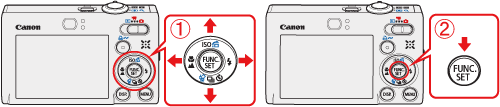
- Screens or menu listings may differ depending on the camera model being used.
1. Turn the camera's <mode switch> to <playback> ( ) , and then turn the camera's power switch on.
) , and then turn the camera's power switch on.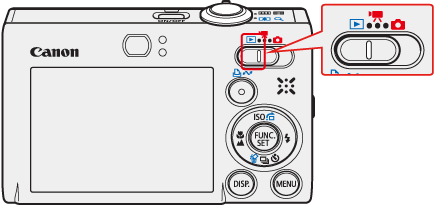
2. Hold down the <FUNC./SET> button ( ) , and press the <MENU> button (
 ) immediately.
the <FUNC./SET> button () , and press the <MENU> button () immediately.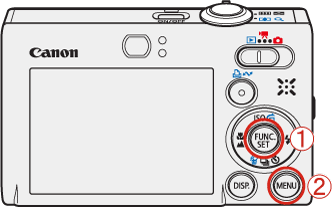
3. The following screen will appear on the LCD monitor.
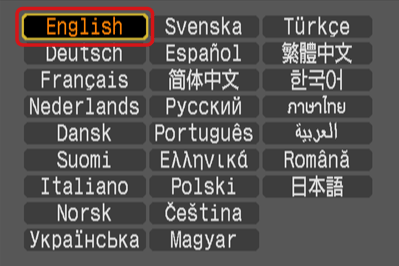
Select the language you want to switch to, and then press the <FUNC./SET> button () .
) .