







Supplied Accessories (VIXIA HF G30 / LEGRIA HF G30)
Solution
Before use, make sure the following items are included in the package. If anything is missing, contact your retailer.
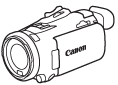 | Camcorder |
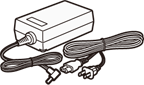 | CA-570 Compact Power Adapter (incl. power cord and ferrite core) |
 | BP-820 Battery Pack |
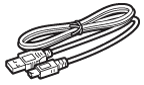 | IFC-300PCU/S USB Cable |
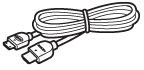 | HTC-100/S High Speed HDMI Cable |
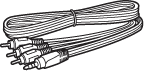 | STV-250N Stereo Video Cable |
 | Lens hood with lens barrier |
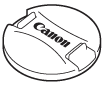 | Lens cap |
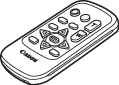 | WL-D89 Wireless Controller |
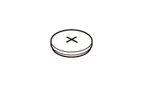 | CR2025 lithium button battery |
 | Data Import Utility CD-ROM *1 |
| Canon VIXIA/LEGRIA CD-ROM *2 |
 | Quick Guide |
| Wi-Fi Basic Setup Guide |
*1:Data Import Utility CD-ROM
- Use Data Import Utility to transfer your scenes to a computer. Refer to Saving Recordings to a Computer. The CD-ROM includes the instruction manual of the software (on PDF file).
*2: Canon VIXIA/LEGRIA CD-ROM
The CD-ROM Contains the following components.
- Instruction Manual - The full-version instruction manual of the camcorder (on PDF file).
- ImageBrowser EX - Software for saving, managing and editing your photos. The supplied ViXIA/LEGRIA CD-ROM contains an automatic installer for ImageBrowser EX. An Internet connection is required to fully install the software.