





Changing the Image Aspect Ratio (PowerShot SX700 HS)
Solution
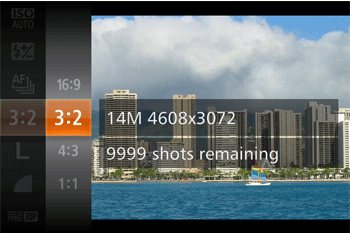
You can change the image aspect ratio (ratio of width to height).
NOTE
The aspect ratio cannot be changed in the following modes:
 ,
,  ,
,  ,
,  ,
,  ,
,  ,
,  ,
,  *,
*,  ,
,  ,
,  ,
,  ,
, 
* Only  and
and  are selectable.
and are selectable. | Used for display on widescreen HDTVs or similar display devices. |
 | Same aspect ratio as 35mm film, used for printing images at 5 x 7-inch or postcard sizes. |
| Native aspect ratio of the camera screen, also used for display on standard-definition televisions or similar display devices, or for printing images at 3.5 x 5-inch or A-series sizes. |
 | Square aspect ratio. |
1. Press the power button to turn the camera on.
2. Press the <FUNC./SET> ( ) button.
) button.3. Press the < ><
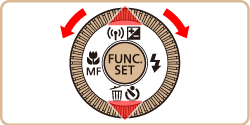
>< > buttons or turn the <
 > dial to choose [Still Image Aspect Ratio], and then press the <FUNC./SET> () button.
><> buttons or turn the <> dial to choose [Still Image Aspect Ratio], and then press the <FUNC./SET> () button.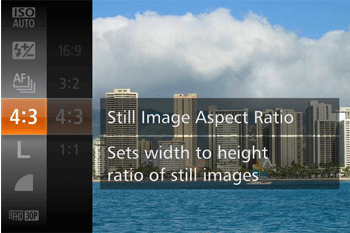
4. Press the <><> buttons to choose the desired aspect ratio, and then press the <FUNC./SET> () button.
><> buttons to choose the desired aspect ratio, and then press the <FUNC./SET> () button.