




Promotion
PosterArtist
Poster creation made simple
Create your own eye-catching posters, banners, signages and flyers in just four steps. The intuitive interface allows anyone to design, choose the layout and print your desired visuals without specialised knowledge and skills.
Key Features
Features
Templates and Multi-language Support
Hundreds of royalty-free templates, clip art, images and background are available to personalise your own flyers or signages. Available in 13 different languages, including English, Simplified and Traditional Chinese, Thai and Bahasa Indonesia.
Smart Features for All User Types
Smart features such as Auto Design and Design Assist provide template and design suggestion based on your input. Design Check will alert user of any potential design issue such as low resolution image.
File Sharing through Cloud
Simply upload your poster file to the Cloud for easy access and sharing of files with others.
Works with Other Canon's Solutions
Integrated with Easy-Photo Print Editor app, users are able to print posters stored in cloud directly from mobile devices. Free Layout Plus plugin can be used to adjust the layout of your poster before printing.
Enlarge with PosterArtist QuickCopy
PosterArtist QuickCopy allows scanned image to be edited and enlarged to specified size before printing.
Additional Information
There are two versions of PosterArtist software with different features.
PosterArtist Lite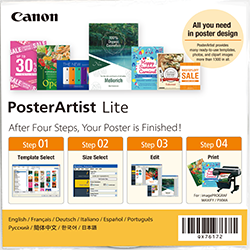 | PosterArtist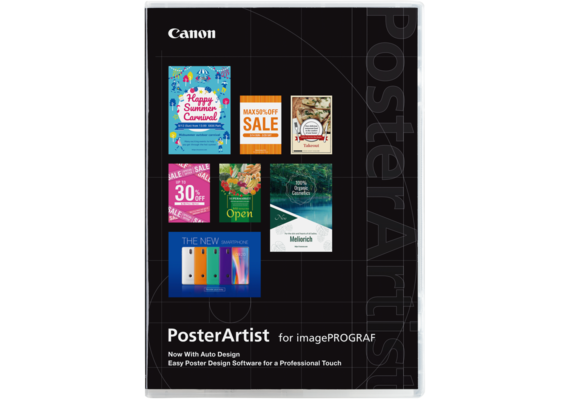 | |
| Cost | Free version | Paid version |
| Distribution Method | Bundled with printer / Web download | CD Package |
| Supported Languages | 13 languages* | 13 languages* |
| Template Library | Limited artwork and template selection | Full suite of artwork and templates |
| Features | ||
| Poster Creation | Yes | Yes |
| QuickCopy | Yes | Yes |
| Auto Design | No | Yes |
| Design Check | No | Yes |
| Design Assist | No | Yes |
| Quick Exchange | No | Yes |
| Guide, Grid, Ruler | No | Yes |
| Artwork Security Settings | No | Yes |
| Saving and Updating Artwork Snapshots | No | Yes |
| Variable Print | No | Yes |
| Ambient Light Correction | No | Yes |
| Function to Retouch Image | No | Yes |
FAQ
What are the advantages of moving poster creation and production in-house?
Create and print poster in-house ensures security and confidentiality of your company's information are maintained. Besides that, having the whole process in-house also provides you with greater flexibility to update and amend information swiftly. Printing poster in-house also allows you to print on-demand, therefore reducing wastage.
Is it difficult to create poster on our own?
Not at all. PosterArtist has been designed for users of all skill levels, allowing anyone to create professional-looking posters with steps that are easy to follow. Not sure where to begin? Try out Auto Design and Design Assist features to get you started.
I am not sure if PosterArtist is suitable for my business use?
PosterArtist comes with wide variety of templates and editing tools suitable for poster, signage and banner creation for sectors such as retail stores, office environments, hotels, restaurants, events, classroom decorations, school event promotion, education material, hospitals, airports, factories and government.
Is it possible to design printout other than poster?
Yes. PosterArtist is a versatile software that can be used to create various promotional materials such as leaflet, flyer, banner, signage, point of purchase display, menu, notice, presentation material and many more.
If I replace my computer or hard drive, do I need to authenticate my license again?
When replacing your computer or hard drive, license authentication will be required again. You must return your license on your old computer or hard drive and re-authenticate on your new device.
Product Disclaimer
- 01. Prices, specifications, availability and terms of offers may change without notice.
- 02. Products / Services may be manufactured by and/or supplied to us by third party manufacturers/suppliers for distribution / resale (non-Canon brand products).
- 03. Prices above are recommended retail price in Malaysian Ringgit and may change without prior notice.